
Why undocumented systems are the norm, not the exception
If you inherited a system where the original developers are gone and the documentation is missing or wrong, you are not in an unusual position. Many mission-critical platforms, such as core banking systems, insurance policy engines and logistics infrastructure, hold decades of business logic written in COBOL, PL/I, Oracle Forms or aging Java, and no single person understands all of it.
The goal of legacy code documentation is not a perfect manual. It is enough written, checked knowledge that your team can change the system without guessing. This guide covers what to document first, how to capture business rules and dependencies, and where AI-assisted analysis fits.
What to document first
Do not start at the top of the codebase and work down. Start with the questions your team keeps asking and the changes you are about to make.
- The system boundary. List what goes in, what comes out, and who or what depends on it: batch jobs, screens, interfaces to other systems, reports.
- The critical flows. Pick the two or three workflows that carry the most business risk, such as payment processing, policy issuance or month-end close, and trace each one end to end.
- The data. Record the key tables, files and fields, and which programs read or write them.
- The areas about to change. If a migration or extension is planned, document those components before anything else.
This order gives you something useful in days instead of a documentation project that never finishes.
Capturing business rules and dependencies
Business rules are the hardest part, because they are rarely written down anywhere except the code. A rule like “net payment equals amount minus fee” may sit inside a paragraph of COBOL or a trigger in an Oracle Forms module, with no comment explaining why.
For each rule you find, write down four things:
- What the rule does, in plain business language
- Which fields and records it reads and changes
- Where it lives in the source, so anyone can verify it
- Who in the business can confirm it is still correct
That last point matters. Code shows what the system does, not whether it should. Keep a note of rules that look obsolete or contradictory, and ask a business owner before you remove or reproduce them in a new system.
For dependencies, map both directions: what a component calls, and what calls it. Before anyone changes a field, a formula or a workflow, you should be able to say what else it touches.
Where manual documentation runs out
Reading code by hand works for one program. It does not scale to hundreds of components, and the documentation goes stale the moment someone makes a change. Teams that rely only on interviews and manual tracing also depend on whoever is left, which is exactly the risk that created the problem.
For a deeper look at reading a codebase you did not write, see legacy code analysis. If your concern is people leaving before their knowledge is captured, legacy system knowledge transfer covers that side of the work.
Generating documentation from the source code
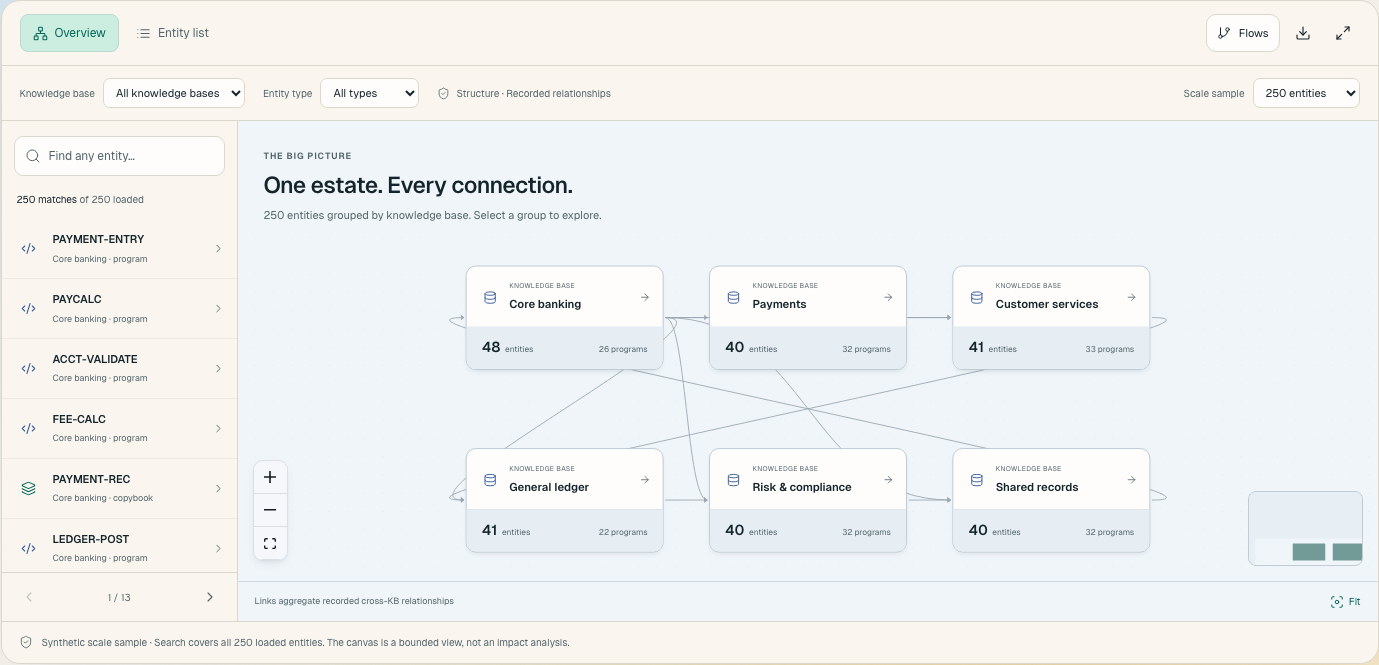
AI-assisted analysis starts from the code itself instead of from memory. Replai reads existing code, including COBOL, Oracle Forms and PL/I, and builds a structured map of what the system actually does: the business rules, the workflows and the dependencies between components. Your team can then ask plain-language questions about that code and trace how a change would ripple through the system.
In practice, that means documentation that stays connected to its source. Each rule can point back to the code it came from, so a reviewer can check it rather than trust it. Human judgment stays in the loop: your architects and business owners confirm what the analysis finds.
To understand how this works, read how AI agents read legacy code. If documentation is the first step toward a larger project, AI-assisted legacy code modernization shows where it leads.
A practical starting point
Pick one critical workflow this week. Trace it from input to output, write down each business rule you find with its source location, and have a business owner confirm it. That single document is more useful than a broad, shallow inventory of the whole estate.
Then decide how much of the next workflow you want to do by hand and how much you want to generate from the code. The teams that stall on modernization are often the ones that skipped this step and tried to change a system before they understood it.
Frequently asked questions
What should I document first in an undocumented legacy system?
Start with the system boundary, the two or three most business-critical workflows, the key data and the components you are about to change. This gives you useful documentation quickly instead of an open-ended inventory.
How do I capture business rules from legacy code?
For each rule, record what it does in plain language, which fields and records it touches, where it lives in the source, and which business owner can confirm it is still correct.
Why does manual legacy documentation go stale?
It is written by hand at one point in time and does not follow later code changes. It also depends on the people who remain, which is the same risk that caused the gap.
Can AI generate documentation from legacy source code?
Yes. Replai reads code such as COBOL, Oracle Forms and PL/I and builds a structured map of business rules, workflows and dependencies. Your team can then ask plain-language questions about the code.
Do I still need people involved if AI generates the documentation?
Yes. Human judgment stays in the loop. Architects and business owners need to confirm that what the analysis finds is correct and still wanted.